Modules
[download | view]
Austrian Literature Online (alo)
Description
Austrian Literature Online has a ton of books in German. Since the site is in German, and since I can't read German, I have no idea of the copyright status of these images or the books themselves.
The alo module supports the following download formats:
-f value | Description |
|---|
image | Pages are returned as one PNG image per page. |
ID
The ID is an integer (1 to 5 characters). To get the ID, navigate to the book you wish to retrieve. The URL will have a portion that looks like:
objid=XXXX
The XXXX is the ID.
History
- 0.5.2: Fixed bug in URL generation
- 0.4: Standardized
- 0.2: Added module
Top
[download | view]
Canadian Literature Online (can)
Description
Early Canadiana Online (ECO) is a digital library providing access to over 1,496,000 pages of Canada's printed heritage. It features works published from the time of the first European settlers up to the early 20th Century.
DP has been given permission to use Canadiana's page images.
The can module supports the following download formats:
-f value | Description |
|---|
pdf | Pages are returned as one PDF file per page. |
image | Pages are returned as one PNG image per page. |
ID
The ID is consists of digits and (optionally) underscores. To get the ID, navigate to the book's bibliographic record. The ID is listed as the CIHM in the record.
History
- 0.6: Fixed navigation bug, updated image type to PNG instead of GIF (PDF still available).
- 0.5.2: Fixed bug in page listing parsing.
- 0.5: Fixed module (previously broken due to site changes)
- 0.4.1: Added message for restricted content.
- 0.4: Standardized
- 0.3.4: Fixed small bug in ID parsing
- 0.3: Added module
Top
[download | view]
Core Historical Literature of Agriculture
(chla)
Description
The Core Historical Literature of Agriculture is exactly what it sounds like: a repository of literature about agriculture.
The copyright page contains the following text:
As a publicly supported institution, Mann Library generally does not own rights to material in its collections. Therefore it does not charge permission fees for use of such material and cannot give or deny permission to publish or otherwise distribute material in its collections. It is the obligation of the user to determine and satisfy copyright or other use restrictions when publishing or otherwise distributing materials found in the Mann Library collections.
The chla module supports the following download formats:
-f value | Description |
|---|
pdf | Pages are returned as one PDF file per page. |
image | Pages are returned as one GIF image per page. |
ID
The collection contains both books and journals. The IDs for each type of work can be found by navigating to the item and finding the portion of the URL that says:
id=XXXXXXX
The "XXXXXXX" is the ID. Journal IDs are in the format "XXXXXXX_XX_XX".
History
- 0.4.4: Fixed renumbering bug
- 0.4: Added module
Top
[download | view]
Cornell University Library - New York State Historical Literature (culnys)
Description
The New York State Historical Literature at Cornell project contains texts about NY state history.
The copyright page contains the following text:
Copyright and other rights in the images, underlying encoded text, selection, indexing, and display of materials in Cornell Digital Library Collections are held by the Cornell University Library to the extent permitted by law. Users should be aware that materials made available in Cornell Digital Library Collections may be subject to additional restrictions. These include but are not limited to the rights of copyright, privacy, and publicity. Such restrictions are likely to be controlled by parties other than the Cornell University Library. Users are solely responsible for determining the existence of such rights, obtaining any permissions, and paying any associated fees required for the proposed use.
The chla module supports the following download formats:
-f value | Description |
|---|
image | Pages are returned as one GIF image per page. |
ID
The IDs for each type of work can be found by navigating to the item and finding the portion of the URL that says:
did=nys###
The ### is the ID (do not include the "nys" as part of the ID).
History
- 0.6: Updated to fix navigation due to site changes
- 0.4: Bug fixes
- 0.4: Added module
Top
[download | view]
Home Economics Archive: Research, Tradition and History
(hearth)
Description
The HEARTH project a repository of texts relating to home economics.
The copyright page contains the following text:
As a publicly supported institution, Mann Library generally does not own rights to material in its collections. Therefore it does not charge permission fees for use of such material and cannot give or deny permission to publish or otherwise distribute material in its collections. It is the obligation of the user to determine and satisfy copyright or other use restrictions when publishing or otherwise distributing materials found in the Mann Library collections.
The chla module supports the following download formats:
-f value | Description |
|---|
pdf | Pages are returned as one PDF file per page. |
image | Pages are returned as one GIF image per page. |
ID
The collection contains both books and journals. The IDs for each type of work can be found by navigating to the item and finding the portion of the URL that says:
id=XXXXXXX
The "XXXXXXX" is the ID. Journal IDs are in the format "XXXXXXX_XX_XX".
History
- 0.5: Fixed renumbering bug
- 0.4: Added module
Top
[download | view]
Hockliffe Project (hock)
Description
The Hockliffe Project has been designed to promote the study of early British children's literature. It will provide internet access to the full texts of the Hockliffe Collection of Early Children's Books, owned by De Montfort University, and will accompany this archive with contextualising documents and research. The aim is to work towards a reevaluation of children's literature in its own infancy, and to let these rich and varied books speak for themselves.
It is unclear as to whether or not their mechanically reproduced page images are eligible for copyright protection.
The hock module supports the following download formats:
-f value | Description |
|---|
image | Pages are returned as one JPEG image per page. |
ID
This one is easy. The ID is a four-digit catalog number (####). To obtain the ID, just go to the project and browse to the book you want. The catalog number is in the far left column on the browse page. Note that only books marked as having images can be downloaded.
History
- 0.5.2: Updated to reflect new URL format
- 0.4: Standardized
- 0.2: Added module
Top
[download | view]
Kentuckiana Digital Library (kdl)
Description
The Kentuckiana Digital Library is part of the Kentucky Virtual University and contains many items about Kentucky history.
The copyright page contains the following text:
Many items offered by the Kentuckiana Digital Library may be protected by the U.S. Copyright Law (Title 17, U.S.C.). Some items may have restrictions imposed by the copyright holder or the repository owning the physical items. The holding repositories have made best efforts to identify the copyright status for online items. This information is offered as a service to the general public in determining the proper use of an item and is found in collection finding aids and/or upon inquiry to the holding repository. However, it is always the user's responsibility to determine copyright restrictions and obtain the permission of the copyright holder.
The kdl module supports the following download formats:
-f value | Description |
|---|
pdf | Pages are returned as one PDF file per page. |
image | Pages are returned as one GIF image per page. |
ID
The ID for each work can be found by navigating to the item and finding the portion of the URL that says:
id=AXX-XXX-XXXXXXXX
Where "A" is a letter and each "X" is a number.
History
- 0.6: Fixed bugs due to site navigation changes
- 0.5: Fixed renumbering bug
- 0.4.2: Fixed bug preventing GIF downloads
- 0.4: Added module
Top
[download | view]
Making of America - Michigan Books (moamb)
moamb
Description
Making of America (MOA) is a joint project of Michigan University and Cornell University. This module will retrieve works in the Michigan books collection.
MOA allows downloading and storing of images for personal use, but according to them, one must request permission before redistributing their images. It is unclear as to whether or not their mechanically reproduced page images are eligible for copyright protection.
The moamb module supports the following download formats:
-f value | Description |
|---|
pdf | Pages are returned as one PDF file per page. |
image | Pages are returned as one GIF image per page. |
Note: When downloading images, each image is generated on the MOA server real-time. The script must access each page individually (i.e., send separate HTTP requests) first to generate the image, and then to download the generated image.
ID
This moamb ID number is in the form 'XXX####.####.###' (without quotes), where X is a letter and # is a number. For example, the unique ID for James Fenimore Cooper's novel 'The Last of the Mohicans' is 'ABB2610.0001.001'.
You can find the ID number by navigating to the book you want to retrieve and then copying the link address (URL) from that book. In the URL, there is a portion that looks like:
idno=
The portion following that, and continuing to the next ampersand (&), is the ID.
History
- 0.5.2: Updated module again because of site changes
- 0.5.1: Updated module to work with MOA site changes
- 0.5: Fixed renumbering bug
- 0.4: Optimized and standardized.
- 0.3.2: Fixed bug where some books that had alternative filename formats weren't being downloaded
- 0.2: Optimized
- 0.1: Added module
Top
[download | view]
Posner Memorial Collection (posner)
Description
The Posner Memorial Collection is one of Carnegie-Mellon University Library's special collections, consisting of rare and interesting books acquired by Henry Posner, Sr.
It is not clear whether or not Carnegie-Mellon University claims copyright on the scans. However, there appear to be quite a few books that were published during or after 1923, which means they might still be under copyright. The following note is posted on the collection's website:
Use of the Posner Collection is intended for educational purposes only. Users are warned that copyright laws may restrict the use of these images. Permissions for commercial use or publication should be obtained from the copyright holders.
The posner module supports the following download formats:
-f value | Description |
|---|
image | Pages are returned as one JPEG image per page. |
ID
The ID is the call number of the book. To get the ID, browse to the desired book and then find the portion of the URL that has "call=XXX_XXXX". For example:
http://posner.library.cmu.edu/Posner/books/book.cgi?call=220_H31F
The ID for this book is 220_H31F.
History
- 0.5.2: Updated to reflect new URL format
- 0.4: Added module
Top
[download | view]
Our Roots: Canada's Local Histories Online (roots)
Description
Our Roots features books that
highlight Canada's local history.
The roots module supports the
following download formats:
-f value | Description |
|---|
image | Pages are returned as one JPEG image per page. |
ID
The ID is an integer (4 characters). To get the ID, navigate to the table
of contents page for the book you wish to retrieve. The URL will have a
portion that looks like:
id=XXXX
The XXXX is the ID. Note that if you are viewing a specific page
of a book you will see a 6 digit number:
ID=XXXXXXThis
is the ID for the page, not the book; return to the Table of Contents to
find the correct number.
History
- 0.6: Additional updates to fix broken URLs from site changes
- 0.5.2: Updated based on site changes (thanks iclysdale!)
- 0.4: Added module
Top
[download | view]
Schoenberg Center for Electronic Text & Images (sceti)
Description
The Schoenberg Center for Electronic Text & Image has a lot of cool stuff.
I found no explicit notices of copyright on the site. It is unclear whether their mechanically reproduced page images are eligible for copyright.
The posner module supports the following download formats:
-f value | Description |
|---|
image | Pages are returned as one JPEG image per page. |
ID
To get the ID, browse to the desired book and then find the portion of the URL that has "textID=XXX_XXXX". For example:
http://dewey.library.upenn.edu/sceti/printedbooksNew/index.cfm?textID=B5083
The ID for this book is 220_H31F.
History
- 0.6: Fixed minor warning about renumbering pages
- 0.5.2: Minor documentation updates to clarify ID
- 0.4: Added module
Top
[download | view]
University of Michigan Historical Math Collection
(ummath)
Description
The University of Michigan Historical Math Collection has a bunch of math books.
The ummath module supports the following download formats:
-f value | Description |
|---|
pdf | Pages are returned as one PDF file per page. |
image | Pages are returned as one GIF image per page. |
Note: When downloading images, each image is generated on the server real-time. The script must access each page individually (i.e., send separate HTTP requests) first to generate the image, and then to download the generated image. When downloading PDF files, there is no need to send these extra HTTP requests.
ID
This moamb ID number is in the form 'XXX####.####.###' (without quotes), where X is a letter and # is a number. For example, the unique ID for James Fenimore Cooper's novel 'The Last of the Mohicans' is 'ABB2610.0001.001'.
You can find the ID number by navigating to the book you want to retrieve and then copying the link address (URL) from that book. In the URL, there is a portion that looks like:
idno=
The portion following that, and continuing to the next ampersand (&), is the ID.
History
- 0.5.2: Updated module to work with URL changes
- 0.5: Fixed renumbering bug
- 0.4: Added module
Top
[download | view]
Historic Pittsburgh (upitt)
Description
The Historic Pittsburgh is a collection of historical texts published in the 19th and 20th centuries about the city of Pittsburgh. The collection is owned by Pittsburgh University.
The copyright page contains the following text:
Users of the Historic Pittsburgh website do not need to seek permission for downloading images for private or educational use. However, the University of Pittsburgh does retain the rights to the digital images available on this website.
The kdl module supports the following download formats:
-f value | Description |
|---|
pdf | Pages are returned as one PDF file per page. |
image | Pages are returned as one GIF image per page. |
ID
The ID for each work can be found by navigating to the item and finding the portion of the URL that says:
id=AXX-XXX-XXXXXXXX
Where "A" is a letter and each "X" is a number.
History
- 0.6: Updated to work with site changes
- 0.4.4: Fixed renumbering bug
- 0.4.2: Added module
Top
[download | view]
The United States and Its Territories (ust)
moamb
Description
The United States and its Territories "omprises the full text of monographs and government documents published in the United States, Spain, and the Philippines between 1870 and 1925."
The philamer module supports the following download formats:
-f value | Description |
|---|
pdf | Pages are returned as one PDF file per page. |
image | Pages are returned as one GIF image per page. |
Note: When downloading images, each image is generated on the MOA server real-time. The script must access each page individually (i.e., send separate HTTP requests) first to generate the image, and then to download the generated image.
ID
This moamb ID number is in the form 'XXX####.####.###' (without quotes), where X is a letter and # is a number. For example, the unique ID for James Fenimore Cooper's novel 'The Last of the Mohicans' is 'ABB2610.0001.001'.
You can find the ID number by navigating to the book you want to retrieve and then copying the link address (URL) from that book. In the URL, there is a portion that looks like:
idno=
The portion following that, and continuing to the next ampersand (&), is the ID.
History
- 0.5.3: Updated the module to actually work...
- 0.5.2: Added module
Top
[download | view]
Wright American Fiction
(wright)
Description
Wright American Fiction (WAF) is a collection of 19th century American fiction, as listed in Lyle Wright's bibliography American Fiction, 1851-1875. WAF is hosted by the Indiana University Digital Library Program.
WAF does not appear to have a copyright policy on it's pages; however, the Digital Library Program at Indiana University has the following statement:
The university is currently seeking means to clarify the rights of use of many materials accessible on its Web pages. Unless rights of use are clearly stated with respect to an individual item, users must seek permission from the copyright owner for all uses that are allowed by fair use and other provisions of the U.S. Copyright Act. If you need assistance with identifying or locating the copyright owner of a work, please contact the owner of the page from which you linked to this statement.
It is unclear as to whether or not their mechanically reproduced page images are eligible for copyright protection.
The wright module supports the following download formats:
-f value | Description |
|---|
pdf | Pages are returned as one PDF file per page. |
image | Pages are returned as one GIF image per page. |
Note: When downloading images, each image is generated on the WAF server real-time. The script must access each page individually (i.e., send separate HTTP requests) first to generate the image, and then to download the generated image. When downloading PDF files, there is no need to send these extra HTTP requests.
ID
This wright ID number is in the form 'Wright2-####' (without quotes), where # is a number. For example, the unique ID for Herman Melville's book of short stories 'The Piazza Tales' is 'Wright2-1702'.
You can find the ID number by navigating to the book you want to retrieve and then copying the link address (URL) from that book. In the URL, there is a portion that looks like:
idno=
The portion following that, and continuing to the next ampersand (&), is the ID.
History
- 0.5: Fixed renumbering bug
- 0.4: Optimized and standardized.
- 0.3.3: WAF made changes to the website that broke the module; re-wrote module to work again.
- 0.1: Added module
Top
Examples
Here are some examples of how to use snatch – from basic to complex uses that you may never even care about or want to use. Please note that snatch requires perl to be installed.
Note: Most of these examples do not use real IDs.
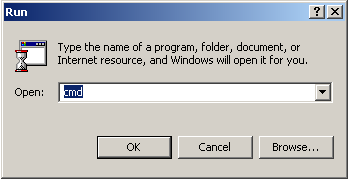
Note for Windows users: You must run snatch from a DOS command prompt. Also, you will have to begin each command with "perl ".
Simple Download
The following command will download all the pages of a book from MOA - Michigan Books to the current directory.
snatch moamb AAA1234.0001.001
Simple Download with Verbose Reporting
Using the -v flag will cause the script to update you on the progress of the download. The following command will download all the pages of a book from MOA - Michigan Books to the current directory.
snatch -v moamb AAA1234.0001.001
Download a Different Format
Some modules allow downloading pages in different formats. To download pages in a different format, use the -f flag. Check individual module documentation for supported formats. If an unsupported format is used, the value of the -f flag is ignored and the default format used.
The following command will download all the pages of a book from Wright American Fiction as PDF files.
snatch -f pdf wright Wright2-0987
Download to a Different Directory
The -d flag can be used to download files to a directory other than the current directory. The following example will download all the pages from a book at The Hockliffe Project to a subdirectory in the current directory called "hockliffe".
snatch -d hockliffe hock 0123
Note for Windows Users: By default, perl uses Unix-style directory format (e.g., /some/directory/path/); however, if you are more comfortable using a DOS-style directory path, you can. For example, if you wanted to save your images in C:\Hockliffe, you can use the following command.
snatch -d C:\Hockliffe hock 0123
Download First 10 Pages
You can set an offset of the number of pages you want to download using the -o flag. If the value of the -o flag is greater than the total number of pages in the book being downloaded, the script will stop once all pages have been downloaded. The following command will download the first 10 pages of a book from Wright American Fiction.
snatch -o 10 wright Wright2-4321
Begin Download at Page 10
The -i flag will let you begin downloading pages at any page in the book. If the value of the -i flag is greater than the total number of the pages in the book, no pages will be downloaded. The following command will begin downloading at page 10 of a book from the University of Georgia.
snatch -i 10 uga abcd
Download Pages 11 to 20
Using the -i and -o flags in conjunction can be a handy device. For example, if you wanted to download a single article from a journal at MOA - Cornell Journals, and you know the article is on pages 11 through 20, you could use the following command.
snatch -i 11 -o 10 moacj harp0000
Literally, this command says, "Begin downloading at page 11 and continue for 10 pages." The tenth page would be page 20.
Renumber Pages Sequentially
Not every site stores their page images in a sequential format. Using the -r flag, you can have the pages automatically renumbered (and padded) to 8 characters (plus extension). The following command will download all the pages from a book hosted by Early Canadiana Online and renumber the pages.
snatch -r can 67584
Wait 5 Seconds before Downloading Each File
There are a couple of reasons you might want to wait between downloading files: to give your computer time to do other things, to open up your internet connection, or to be nice to the server you are downloading from by not bombarding them with multiple requests one right after another. The following command will cause the script to pause for 5 seconds before downloading each page image from a book at MOA - Michigan Books.
snatch -w 5 moamb ZZZ0987.0001.001
Get a List of URLs
You may not want to actually download the page images using snatch. If instead you would rather just get a list of URLs that can be passed to another program – such as wget – you can use the -u flag. The following command will generate a list of URLs for a book at the Universal Library Scanserver.
snatch -u ulscan book0
Warning: The -u flag will override the -v flag (verbose reporting).